
Building AI Products with Great UX: Mastering the Text Prompt
AI, UX
Daniel Mitev
10 min
Feb 14, 2026
A text box is not a product. To build professional AI tools, we need adaptive interfaces that handle voice, files, and complex parameters. This article on www.danielmitev.com breaks down the essential patterns for text prompting, from dynamic placeholders to transparent token pricing.
AI tools change how people think, decide, and act. In this series, I share practical rules for building AI systems that scale, stay transparent, and preserve human judgment.
The text prompt is the most flexible interface for communicating with large language models. While graphical interfaces provide structure, text allows for high-density intent. This article explores how to design text-based interactions that move beyond a simple chat box to create functional, high-performance AI products.
Executive Summary
Successful AI interfaces balance the freedom of natural language with the precision of structured controls. Designers must solve the "blank canvas" problem by providing wayfinders, citations, and adaptive controls. By integrating specific industry parameters and cost transparency, you turn a simple input into a professional tool.
How do you build an adaptive input field?
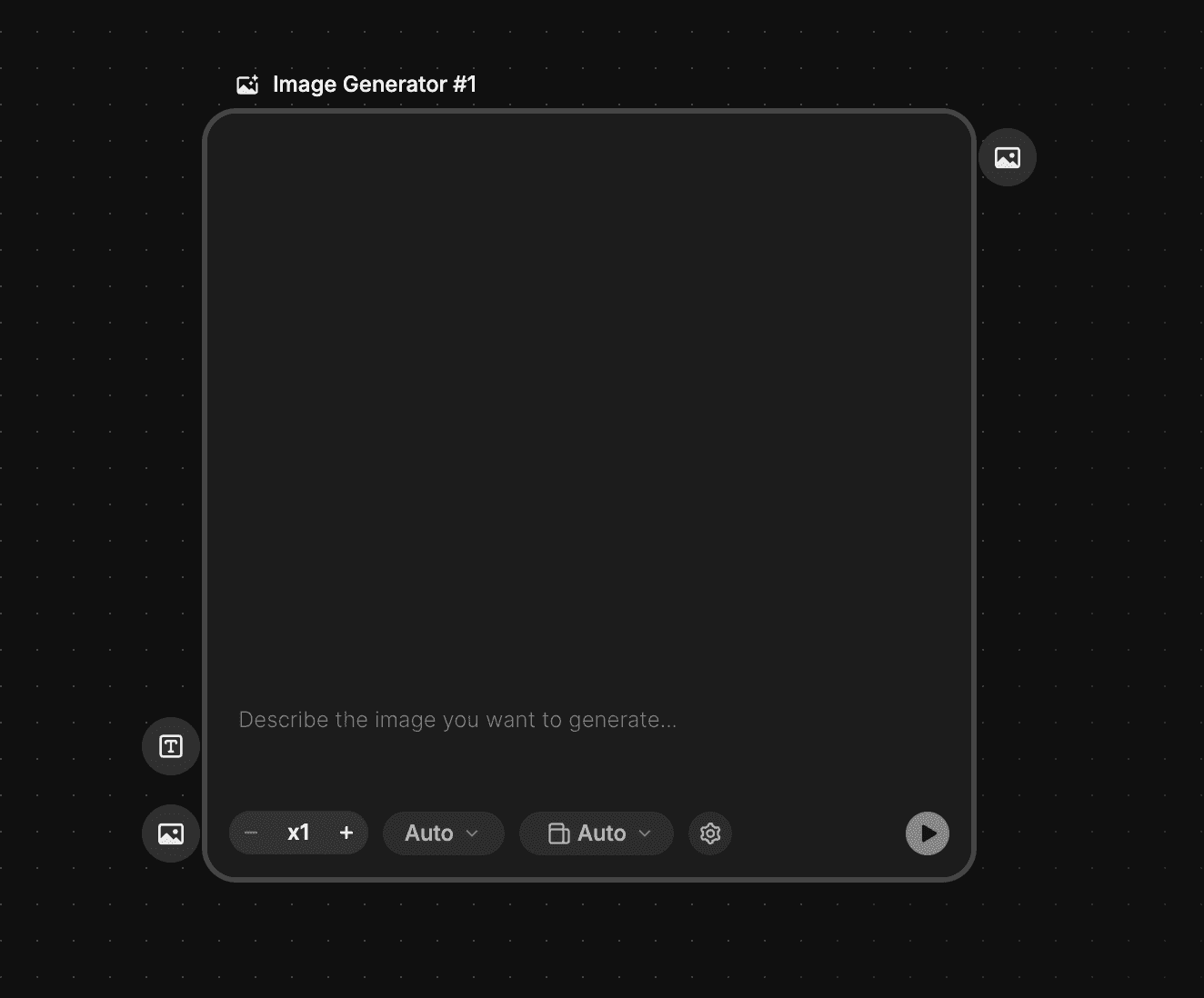
A text prompt area from the Freepik AI tool.
A modern input field should grow and change based on the user's current context.
A plain text box is rarely sufficient for professional workflows. To support complex intent, your input field must be a modular "command center" rather than a static box.
Essential Input Elements
Dynamic Placeholders: Change the ghost text based on the user's previous actions. Use suggestions like "Ask me to analyze the Q3 report..." to give the user a starting point.
Voice and Files: Include a microphone icon for voice-to-text input and a paperclip or plus icon for file grounding. This allows the user to provide context without manual typing.
Auto-expanding Area: The field should grow vertically as the user types. This prevents the frustration of scrolling through a tiny window when drafting long instructions.
Model Selection: Allow users to switch between reasoning models (for logic) and faster, cheaper models (for quick summaries) directly at the source.
Prompt History: Provide a "recent" icon to allow users to pull up successful queries without starting from zero.
How should the UI adapt to specific industries?
The prompt field must reflect the modality of the output, whether it is text, image, or video.
Generic interfaces fail because they ignore the specific constraints of the medium. If your product generates visual content, the user needs immediate access to technical controls.
Industry-Specific Controls

The text prompt area from the higgsfield AI tool.
Visual Proportions: For image or video tools, include a field for aspect ratio (e.g., 16:9, 1:1) and resolution.
Price Visualization: If your system uses a credit or token system, display the "cost" of the prompt on the submit button. Labeling a button "Generate (2 Credits)" prevents surprise charges and helps users manage resources.
Prompt Enhancement: Include an AI-assisted "rewrite" button. This takes a user's rough notes and transforms them into a structured prompt that the model can follow more effectively.
What are the core patterns for AI interaction?
To build a proper AI tool, you must implement specific patterns that handle different user goals.
Open Input
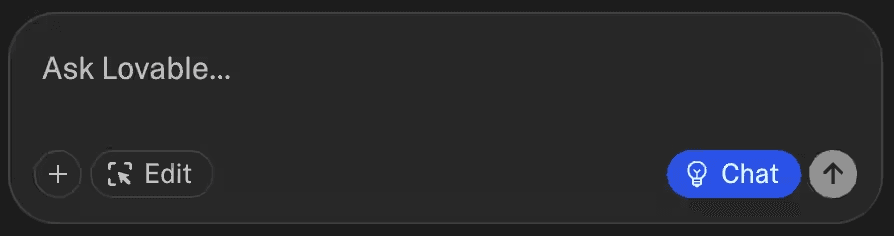
The text prompt area from the Lovable AI tool.
Open input is the foundation of interactive AI design. It fosters a dialogue that feels familiar to any user. However, simplicity in the UI does not equal ease of use. Designers must provide wayfinders, such as templates and nudges, to help users overcome the "blank canvas effect."
Summary
The summary action condenses information for clarity. It must prioritize fidelity over brevity. Always combine summaries with governors like citations and back-links to the source material. This allows users to verify claims and guards against hallucinations.
Describe
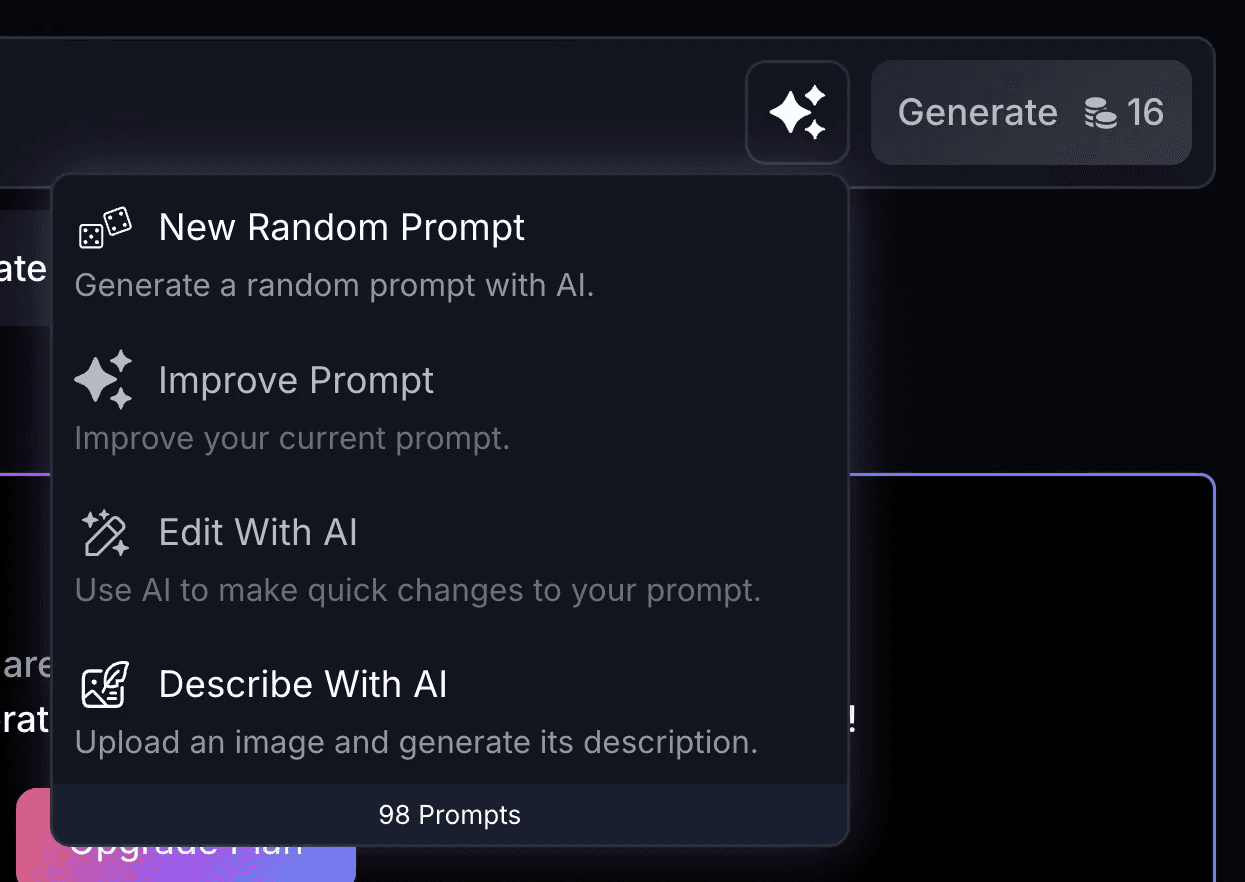
Leonardo puts the describe action in a drawer that is part of the main call to action.
The describe action lets users reverse-engineer a result. It breaks a generation into the prompt, parameters, and tokens that produced it. This is essential for power users who want to reproduce a specific style or troubleshoot an error.
Transform
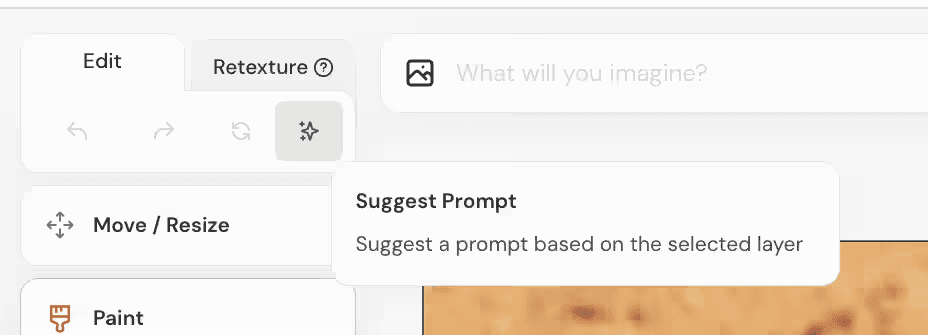
Midjourney can help you turn images into text by creating a prompt from the image that you can then use to generate more content.
Transformation acts as a creative pipeline, moving content from one modality to another (e.g., audio to text). Because these actions are often expensive, build in "stop points." Show an action plan or an outline for the user to verify before committing to a full generative run.
Key Insights
Recognition over Recall: Use templates and prompts libraries so users don't have to remember complex commands.
Transparency is Safety: Visualizing tokens and providing citations builds the trust necessary for professional use.
Constructive Feedback: If a prompt is too short or ambiguous, provide a specific nudge rather than a generic error.
Outcomes
Reduced Friction: Voice input and dynamic placeholders help users get started faster.
Higher Accuracy: Industry-specific controls like aspect ratios ensure the output is ready for use.
Operational Control: Stop points and token visualization prevent wasted resources on high-cost tasks.
Read more:

AI Integration in UX Design: Enhancing User Experiences

Unlocking Success: How a UX Strategy Consultant Transforms Brands
Building AI Products with Great UX: Mastering the Text Prompt

How Can We Reduce Stress for Users?

Why UX Is Moving From Execution to Judgment

UX Research in 2026: When AI Takes the Work and Leaves Us the Weight

The Quiet Shift Changing UX
Synthetic users: is there a place for “AI-generated users” in UX Research?
The Mechanics Behind Making Better Design Decisions

Is mobile-first approach killing your website’s potential?